
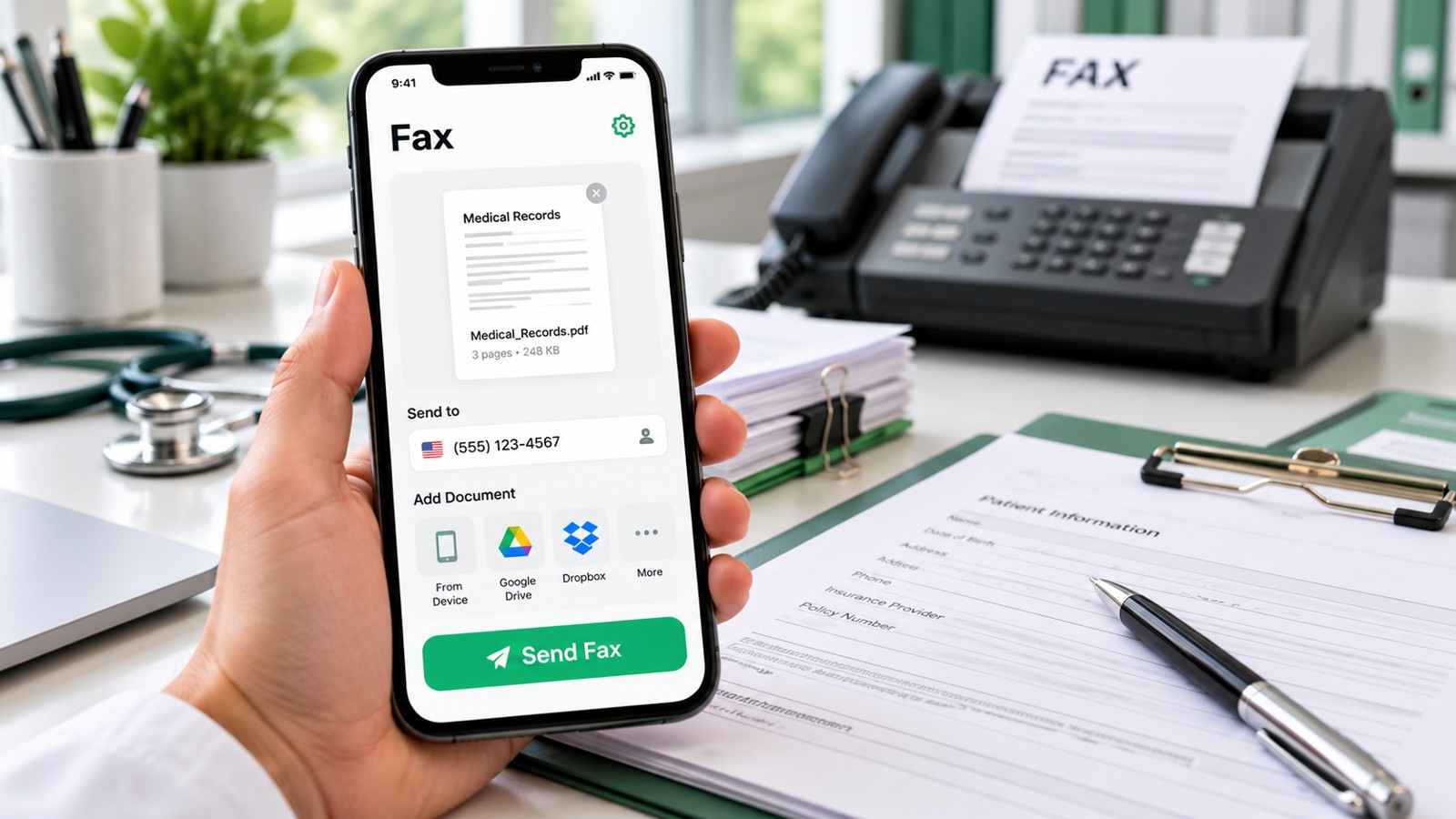
Sending a fax from your iPhone no longer requires a fax machine or office visit. The best professional fax app for iPhone combines reliable document delivery, secure transmission, and transparent pricing for business users who need to fax occasionally or regularly. This 2026 guide compares leading solutions across cost, security, ease of use, and feature depth to help you choose the right fit for your workflow.
| App/Service | Pricing Model | Free Tier | Best For | Key Feature | Security |
|---|---|---|---|---|---|
| Municorn Fax App | Pay-per-page & subscription plans | Limited demo fax | One-off and occasional faxing | Fast scanning, global delivery | Encrypted transmission |
| iFax | Weekly, monthly, annual subscriptions | Free trial available | Regular business use, fax receiving | Fax number assignment, cloud storage | HIPAA-compliant |
| FAX.PLUS | Monthly subscriptions + pay-per-page | 10 free pages | Small teams, document compliance | Team management, API integration | HIPAA & SOC 2 certified |
| FaxFlow | Weekly, monthly, annual plans | Free app + paid sending | US/Canada faxing, instant receipt | Auto-retry, own fax number option | Encrypted, phone line delivery |
| FAX for iPhone (FaxFile) | Pay-per-fax credits | Free app, credits required to send | Simple one-off faxes | Cloud storage integration, bulk sending | US-hosted infrastructure |
| #Fax | Free first faxes, then subscription | Multiple free faxes | Testing, light personal use | No card required upfront | Standard encryption |
1. Municorn Fax App: Best Value for Occasional Faxing
Bottom Line: Municorn Fax App delivers affordable, no-subscription faxing with transparent pay-per-page pricing, making it ideal for professionals who send faxes infrequently and want to avoid recurring bills.
Municorn Fax App stands out in the 2026 market for eliminating forced subscriptions. Users can send individual faxes and pay only for what they use, with pricing calculated before sending so there are no surprise charges. The app supports scanning documents directly from your iPhone camera with automatic edge detection, uploading PDFs and images from Files and cloud services, and sending to fax numbers across the US, Canada, and international destinations.
The interface prioritizes speed—upload or scan a document, enter the recipient’s fax number, review the preview, and send. Delivery confirmation arrives via email, providing a record for business and compliance purposes. For professionals in legal, healthcare, finance, or government sectors where fax receipt documentation matters, this record-keeping is essential.
The trade-off is that Municorn Fax App does not provide a dedicated inbound fax number for receiving faxes. It excels at outbound sending. Users who need to fax from iPhone regularly but rarely receive faxes find excellent value here compared to subscription-based apps charging $10–$20 monthly for features they won’t use.
Pricing: Pay-per-page model (no subscription required). Free demo fax available to test the workflow.
Best For: Solo professionals, consultants, one-off document submissions, occasional business faxing without ongoing commitment.
Pros:
- No mandatory subscription or auto-renewal
- Transparent pricing shown before sending
- Fast document scanning with auto-correction
- Global fax delivery to 195+ countries
- Email delivery confirmation for records
- Cloud service integrations (Google Drive, Dropbox, OneDrive)
Cons:
- No inbound fax number for receiving faxes
- Not optimized for high-volume regular faxing
- Per-page pricing adds up for frequent users
2. iFax: Best for Professional Business Workflows & Receiving Faxes
Bottom Line: iFax combines subscription flexibility (weekly, monthly, annual plans) with inbound fax capabilities and HIPAA compliance, serving businesses and healthcare professionals who need a complete fax solution.
iFax removes the pay-per-page model in favor of subscription plans with unlimited sending and receiving within your plan tier. Users get an assigned fax number unique to their business, enabling two-way fax workflows. This distinction matters for medical practices, law firms, and financial services that must receive confidential documents securely.
The app includes cloud storage integration, allowing faxes to save automatically to third-party services. HIPAA compliance documentation makes iFax suitable for healthcare workflows. Delivery confirmation and read receipts provide audit trails for regulated industries.
Weekly plans offer entry-level pricing for testing; monthly and annual options reduce per-month cost for committed use. The free trial period lets professionals evaluate whether inbound faxing meets their needs before committing.
Pricing: Subscription-based (weekly, monthly, annual options). Free trial included.
Best For: Small businesses, healthcare providers, law offices, financial advisors—anyone requiring a dedicated fax number and receiving capability.
Pros:
- Unlimited sending and receiving per plan
- Dedicated inbound fax number
- HIPAA-compliant transmission
- Cloud storage auto-save options
- Flexible subscription terms (week/month/year)
- Professional document branding options
Cons:
- Subscription required; no pay-as-you-go option
- Higher total cost for occasional users
- Requires account setup and active management
3. FAX.PLUS: Best for Teams & Enterprise Security
Bottom Line: FAX.PLUS combines team management features, API integration, and SOC 2 certification with a generous 10-page free tier, making it ideal for small teams and businesses requiring compliance documentation.
FAX.PLUS distinguishes itself through team collaboration tools—multiple users can access shared fax history, manage contacts, and send from a central account. The app supports API integration for custom workflows and automation, appealing to businesses building fax into larger systems.
Security certifications (HIPAA, SOC 2) and audit logs position FAX.PLUS for regulated industries. The free tier of 10 pages helps teams trial the service before purchasing a subscription.
Pricing offers monthly subscriptions plus the ability to purchase additional pages as needed, providing flexibility between lightweight and heavy use periods.
Pricing: Monthly subscriptions with optional pay-per-page add-ons. 10 free pages on signup.
Best For: Small teams, compliance-sensitive departments, businesses integrating fax into automated workflows.
Pros:
- Team user accounts and shared history
- API for automation and integration
- SOC 2 & HIPAA compliant
- 10 free pages for trial
- Detailed audit logs for compliance
Cons:
- More complex setup than solo apps
- Team billing may be unnecessary for individuals
- Requires monthly commitment after trial
4. FaxFlow: Best for Instant Delivery & US/Canada Focus
Bottom Line: FaxFlow emphasizes fast, automatic retry delivery with optional fax number ownership, serving North American businesses needing reliability and transparent, flexible subscription terms.
FaxFlow operates on weekly, monthly, and annual subscriptions with no mandatory long-term contract. The app automatically retries failed faxes at no extra charge, and delivery confirmation arrives quickly. Users can optionally purchase a dedicated US fax number for receiving.
The interface emphasizes simplicity—scan, address, send. Cover pages are customizable, and the app stores fax history in-app for quick reference.
FaxFlow positions itself strongly for North American faxing (US, Canada) but may have limited international support compared to global-focused competitors.
Pricing: Weekly, monthly, annual subscription plans. Fax number ownership is optional, separate cost.
Best For: US and Canadian businesses, professionals wanting subscription flexibility, those needing automatic retry assurance.
Pros:
- Automatic retry on failed faxes (no extra charge)
- Flexible weekly/monthly/annual terms
- Optional own fax number for receiving
- Fast delivery confirmation
- Cover page customization
Cons:
- Limited international faxing compared to competitors
- Fax number ownership adds cost
- Subscription required; no free tier
5. FAX for iPhone (FaxFile): Best for Simple, Credit-Based Faxing
Bottom Line: FaxFile offers the simplest entry—download free, load prepaid fax credits, send as needed with no account strings attached, perfect for users wanting maximum flexibility and minimal commitment.
FAX for iPhone (branded as FaxFile by Actual Software Inc.) operates on a credit system—download the app free, purchase credits, and fax documents. No subscription, no auto-renewal, no monthly surprise charges.
The app integrates with cloud storage (Google Drive, Dropbox, Box, OneDrive, iCloud) so documents are easy to locate and send. Bulk sending to multiple recipients simplifies distribution. US-hosted infrastructure appeals to privacy-conscious professionals.
Automatic retry on failed faxes and support for toll-free numbers add practical value. International faxing is available at transparent pricing.
Pricing: Free app + pay-per-fax credits (purchase as needed, no subscription).
Best For: Users wanting zero commitment, occasional faxers, professionals with unpredictable fax volume.
Pros:
- No subscription or auto-renewal
- Purchase credits only when needed
- Cloud storage integration (Google Drive, Dropbox, Box, OneDrive, iCloud)
- Bulk faxing to multiple recipients
- Automatic retry on failure
- US-hosted data (no overseas transfer)
Cons:
- Per-fax costs accumulate for frequent users
- No inbound fax number (send-only)
- Must maintain credit balance
- Credits may expire if unused
6. #Fax: Best Free Entry Point for Testing
Bottom Line: #Fax removes barriers to entry by allowing multiple free faxes before asking for payment or card details, making it the lowest-risk way to test faxing from iPhone without commitment.
#Fax lets users send their first faxes free—no credit card required upfront. This approach addresses a common pain point: free apps that show attractive pricing only after committing payment details. Users can validate the faxing workflow and delivery quality before deciding to subscribe.
Once free faxes are exhausted, #Fax transitions to subscription or credit pricing. The free tier makes it especially useful for professionals unsure whether they’ll need faxing regularly.
Pricing: Multiple free faxes, then subscription or pay-per-fax.
Best For: First-time fax users, professionals evaluating faxing need, those testing specific document types.
Pros:
- Multiple free faxes (no card required)
- Low risk for new users
- Quick testing of fax delivery
Cons:
- Limited free faxes (not unlimited)
- Eventually requires payment
- Fewer features than premium competitors
How We Ranked the Best Professional Fax App for iPhone in 2026
This ranking evaluated professional fax apps using six key criteria: pricing transparency (no hidden fees, clear cost structure), sending reliability (delivery confirmation, automatic retry), document quality (scanning accuracy, format support), security and compliance (encryption, HIPAA certification where relevant), ease of use (speed to first fax, intuitive interface), and business features (fax number assignment, team access, cloud integration). Preference was given to solutions offering flexibility (weekly plans, pay-as-you-go) rather than forcing annual commitments. Real user reviews and App Store ratings informed quality assessments. No claimed features, certifications, or pricing were included without verification from official app stores or company sources.
Choosing the Right Professional Fax App for iPhone: Key Criteria
Send-Only vs. Send & Receive
Send-only apps (Municorn Fax App, FAX for iPhone) cost less and suit professionals who fax outbound but rarely receive. Send-and-receive apps (iFax, FaxFlow) assign a dedicated fax number, required for businesses that must answer incoming faxes securely. Identify your actual need before choosing: many professionals overpay for receiving capability they never use.
Subscription vs. Pay-as-You-Go
Subscriptions (iFax, FaxFlow, FAX.PLUS) offer unlimited sending within plan limits and predictable monthly costs—ideal if you fax weekly or more. Pay-as-you-go (Municorn Fax App, FAX for iPhone) avoids recurring bills—better for professionals faxing fewer than five times per month. Calculate your annual cost under both models: occasional users often save 50–70% with pay-per-page.
Security & Compliance
Healthcare, legal, and finance professionals must verify HIPAA compliance (iFax, FAX.PLUS both certified) or SOC 2 audit logs (FAX.PLUS). Standard encryption covers most business use. Confirm your industry’s requirements before selecting an app.
International Reach
Municorn Fax App and FAX for iPhone support 195+ countries. FaxFlow focuses on North America. If you regularly fax outside the US/Canada, verify coverage before committing.
Free Trial or Demo
Professionals uncertain about fax frequency should test with a free tier or trial (#Fax, iFax free trial, FAX.PLUS 10 free pages, Municorn Fax App demo fax) before subscribing. A single test fax reveals scanning quality and delivery speed.
Why Professionals Still Fax From iPhone in 2026
Despite email and cloud collaboration tools, fax remains legally binding in regulated industries. Medical offices, courts, government agencies, and financial institutions still require faxed signatures and documents. Remote work means fax machines are scarce—converting your iPhone into a fax sender solves the urgent problem of document delivery without visiting an office. The best professional fax app for iPhone bridges this gap quickly and affordably.
Common Mistakes When Choosing an iPhone Fax App
- Choosing by interface alone: A beautiful app means nothing if it lacks automatic retry or international support. Prioritize features over design.
- Ignoring pricing until checkout: Test-drive apps with free tiers first. Some reveal high costs only after you scan a document.
- Paying for features you won’t use: Most occasional faxers overpay for inbound fax numbers and team access. Match the app to your actual workflow, not aspirational features.
- Assuming free means unlimited: “Free fax apps” typically cap pages, destinations, or faxes per day. Read the fine print.
- Overlooking delivery confirmation: For professional use, always select an app offering email confirmation. This receipt protects you in disputes.
FAQ: Best Professional Fax App for iPhone
Does Apple have a built-in fax app?
No. Apple’s built-in iOS apps (Mail, Files, Notes) cannot send faxes independently. Faxing requires a third-party app or web service to route documents through fax transmission networks. This is why dedicated fax apps like Municorn Fax App and iFax exist.
Is eFax still free?
eFax, a long-established online fax service, primarily operates on subscription-based models rather than offering a free tier in 2026. Most eFax plans require monthly payment for sending and receiving. Some competitors (Municorn Fax App, FAX.PLUS, #Fax) offer more generous free options, making them better choices if free or low-cost testing is your priority.
Is the FaxFlow app safe?
Yes. FaxFlow encrypts faxes in transit and delivers over dedicated phone lines, the same infrastructure traditional fax machines use. Encryption and phone-line delivery make FaxFlow suitable for healthcare, legal, and financial documents. Subscription pricing and transparency around how data is handled further support its security posture for professional use.
What is the best way to fax from my iPhone?
The best approach depends on frequency: occasional faxing (fewer than 5 per month) → use Municorn Fax App or FAX for iPhone (pay-per-fax, no subscription). Regular faxing (weekly or more) → use iFax or FaxFlow (subscription with unlimited sending). First-time faxing → test with #Fax or FAX.PLUS free tier before committing. Always choose an app offering delivery confirmation for professional records.
Do professional fax apps work internationally?
Yes, most do. Municorn Fax App, FAX for iPhone, and FAX.PLUS support international faxing to 195+ countries, though per-page pricing may vary by destination. FaxFlow focuses primarily on US and Canadian faxing. Check your specific destination in the app before sending international faxes, as some remote regions may carry higher costs or have limited support.
Can I receive faxes on my iPhone with a professional fax app?
Yes, but only with apps offering inbound fax numbers: iFax and FaxFlow both assign dedicated fax numbers for receiving. Send-only apps (Municorn Fax App, FAX for iPhone, #Fax) do not support inbound receiving. If your workflow requires others to fax you documents, choose an app with inbound capability and a dedicated fax number.