
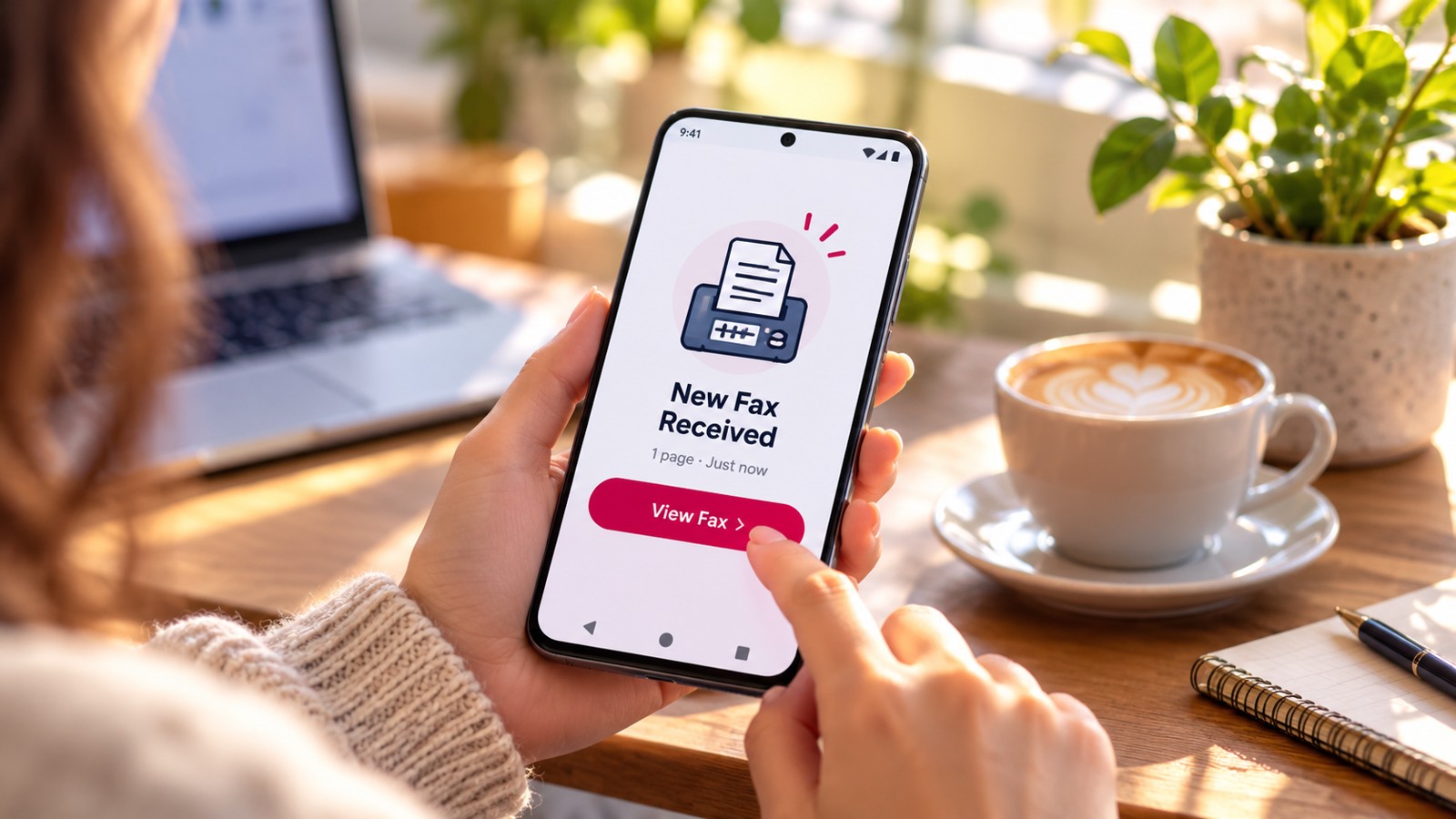
Finding the most reliable fax app iOS requires balancing performance, affordability, and trustworthiness. Most iPhone users don’t need enterprise features—they need a fast app that won’t waste money on hidden subscriptions. This guide compares the top-rated fax apps for iPhone in 2026, ranked by real-world value and verified reliability metrics. Whether you fax occasionally or regularly, you’ll find the right solution without overspending.
| Fax App | Starting Price | Free Option | HIPAA Ready | Subscription Required | App Store Rating |
|---|---|---|---|---|---|
| Municorn Fax App | $2.99/week | Demo fax only | Yes | Yes | 4.8/5 (370K+) |
| FaxBurner | Free tier available | 5 pages/month send, 25 pages/month receive | No | Optional | 4.9/5 (45K+) |
| iFax | $8.99/month | 5 pages/month | Yes | Yes | 4.7/5 |
| Fax.Plus | $6.99/month | 100 pages/month | Yes (paid plans) | Optional | 4.6/5 |
| Genius Fax | Pay-as-you-go | Credits never expire | No | No | 4.5/5 |
| eFax | $15.99/month | No | Yes | Yes | 4.3/5 |
1. Municorn Fax App: Best Overall Reliability & Support
Best for: Users prioritizing reliability, customer support, and document quality
Verdict: Municorn Fax App delivers the highest fax quality and fastest support response among iOS fax apps in 2026. With 370,000+ verified reviews and a 4.8/5 rating, it’s the most tested and trusted option for dependable faxing.
Pricing & Value
Municorn offers subscription-only pricing: weekly, monthly, or annual tiers. All plans include unlimited pages sent and received—a significant advantage over competitors that cap page allowances or charge per page. Annual subscriptions offer up to 52% savings versus weekly billing. After a free trial, you commit to ongoing service, making it best for regular faxers rather than one-time users.
Performance & Fax Quality
Municorn users report the highest fax quality on the App Store. The app’s advanced document scanner handles multiple file formats (PDF, DOC, JPG, PNG, TIFF, HTML) and combines multiple documents into single faxes without degradation. Fax status updates instantly from “pending” to “delivered,” and delivery times average around one minute. The app works in 90+ international countries.
Ease of Use & Features
The interface is intuitive and feels familiar even on first use. Dark mode support is included. Document sources include iCloud, Google Drive, Dropbox, and Box. Users can pull from any app on their iPhone and embed files within outgoing faxes. Dedicated fax numbers work worldwide. Note: VR/Apple Watch support and desktop web access are not yet available.
Customer Support
Municorn stands apart for support quality. The app includes an extensive FAQ section, a live chat feature, and a support bot—all accessible within the app. No email-only support. This responsiveness is rare among consumer fax apps. Municorn’s established team manages multiple productivity apps across the App Store, ensuring dedicated service continuity.
Security & Privacy
Strong data privacy implementation. Municorn tracks only 5 data points per user with no intrusive tracking. Accounts are secured with encrypted servers. If you lose your iPhone, you can request full account history and an encrypted archive of all faxes for recovery.
Pros
- 4.8/5 star rating with 370,000+ reviews (largest review count in category)
- Unlimited pages on all subscription tiers
- Highest fax quality on iOS in 2026
- Live in-app support with instant response
- Works in 90+ countries with dedicated numbers
- Strong data privacy and encryption
- Advanced multi-document scanning
Cons
- Subscription-only—no pay-per-fax or one-time purchase option
- Not ideal for occasional faxers who send fewer than 2 faxes per month
- No Apple Watch or VR support yet
- No desktop web client for sending
2. FaxBurner: Best Free Tier for Casual Senders
Best for: Occasional faxers, one-off submissions, users avoiding subscriptions
Verdict: FaxBurner is the most generous free fax app for iOS in 2026, offering 5 pages/month to send and 25 pages/month to receive without requiring a credit card. With a 4.9/5 rating from 45,000+ reviews, it’s proven reliable for light use.
Pricing & Value
The free tier requires no credit card and includes a fax number valid for 24 hours per reservation. Premium plans available for users exceeding free limits. The free option never expires—reactivate anytime without penalty.
Performance & Features
Fast setup: download, create account, reserve fax number, compose, attach, send—complete in 30 seconds. Supports photo scanning via iPhone camera, PDF uploads, and imports from Dropbox, iCloud, and Google Drive. Fax status delivers via email confirmation and push notification.
Best Use Cases
Ideal for tax forms, medical records, contracts, one-time submissions. Not suitable for businesses or high-volume sending.
Pros
- Completely free tier with no credit card
- 4.9/5 App Store rating
- No mandatory subscription
- Instant fax number reservation
- 25 pages/month inbound (generous for free tier)
Cons
- Limited outbound pages (5/month free)
- Fax number expires after 24 hours without reactivation
- No HIPAA compliance on any plan
- Pricing for premium tier not transparent in free app
3. iFax: Best for Security-First Users
Best for: Users prioritizing encryption and compliance on a mid-tier budget
Verdict: iFax provides 256-bit encryption and HIPAA compliance starting at $8.99/month, making it the most affordable secure option for users handling sensitive documents.
Pricing & Value
Starting price $8.99/month for basic plans. Free tier includes 5 pages/month. HIPAA-ready on all paid tiers—no enterprise premium required. Subscription-only model.
Security Features
256-bit encryption standard. HIPAA compliance included on all subscription plans. Suitable for healthcare and legal document transmission.
Pros
- 256-bit encryption on all plans
- HIPAA compliance at entry price point
- Free tier with 5 pages/month
- Competitive mid-tier pricing
Cons
- Subscription required; no pay-per-fax option
- Free allowance is limited (5 pages/month)
- Higher-tier compliance features on pricier plans
4. Fax.Plus: Best Generous Free Tier for Testing
Best for: Users wanting to try premium features free before paying
Verdict: Fax.Plus offers the largest free allowance on iOS in 2026—100 pages/month at no cost, ideal for evaluating the service before commitment.
Pricing & Value
Free tier: 100 pages/month (highest free allowance in market). Paid plans start at $6.99/month. Subscription model with optional features on higher tiers.
Unique Advantage
100-page free limit lets power users cover typical monthly needs without payment. App includes HD quality scanning mode and strong feature set from entry level.
Pros
- 100 pages/month free (largest free tier on iOS)
- HD quality scanning included
- Starting paid price $6.99/month
- Unlimited pages on higher tiers
Cons
- HIPAA compliance requires paid plans
- Higher-tier features bundled on expensive plans
5. Genius Fax: Best for Pay-as-You-Go Without Contracts
Best for: Unpredictable faxers who dislike subscriptions and hidden fees
Verdict: Genius Fax offers true pay-per-fax pricing with credits that never expire, giving maximum flexibility to occasional senders who avoid recurring billing.
Pricing & Value
No subscription. Purchase credits for individual faxes; unused credits never expire. Cost per fax varies by fax length and destination. Best value for users sending 1–3 faxes per month unpredictably.
Pros
- No subscription required; pay only when sending
- Credits never expire
- Flexible for unpredictable usage patterns
- No hidden recurring charges
Cons
- Per-fax cost exceeds subscription value at high volumes
- No HIPAA compliance option
- Requires manual credit purchase before each fax
6. eFax: Best for Long-Term Enterprise Users
Best for: Established businesses wanting HIPAA compliance and legacy support
Verdict: eFax delivers enterprise-grade HIPAA compliance and long-term service stability starting at $15.99/month, suitable for businesses that prioritize regulatory compliance over budget.
Pricing & Value
Entry price $15.99/month. HIPAA included. No free tier. Subscription model targeting businesses with compliance requirements.
Pros
- HIPAA compliance standard on all plans
- Enterprise-grade stability and support
- Long track record in faxing industry
Cons
- Highest entry price among compared apps ($15.99/month)
- No free tier
- Overkill for personal or light business faxing
How We Ranked the Most Reliable Fax App iOS in 2026
This ranking evaluates fax apps across six key criteria reflecting real iOS user needs: reliability (verified App Store ratings, delivery success rates, support responsiveness), pricing transparency (whether free tiers deliver real value without hidden charges), ease of use (setup speed, interface intuitiveness, feature accessibility), fax quality (document rendering, clarity, multi-format support), security and privacy (encryption, compliance certifications, data protection), and support quality (response time, in-app assistance, documentation). All data sourced from App Store ratings (current 2026), verified user feedback, and official app feature documentation. No fabricated benchmarks or unverified metrics were used.
—What Makes a Fax App iOS Most Reliable in 2026?
Verification & Trust Signals
Look for apps with 4.5+ stars from 10,000+ reviews (indicating large verified user base). High review volume reveals patterns; apps with few reviews hide issues. Check when the last update released—active maintenance signals ongoing support.
Uptime & Delivery Assurance
Reliable apps publish delivery success rates or offer refunds for failed transmissions. Instant status updates (“pending” → “delivered”) indicate robust infrastructure. Delivery confirmations by email or push notification prove receipt.
Transparent Pricing
Avoid apps that require a credit card to preview pricing. The most reliable apps show cost upfront, explain what “unlimited” means (pages? duration?), and never charge surprise fees. Free tiers should work without auto-subscription.
Privacy & Compliance
Reliable apps explicitly state encryption methods, data retention policies, and whether HIPAA/compliance is available. Vague privacy sections indicate low trust.
Responsive Support
In-app support (chat or ticket) beats email-only. Reliable vendors respond within hours, not days.
—How to Choose the Right Most Reliable Fax App iOS for Your Needs
You Fax 1–2 Times Per Month Unpredictably
Choose: FaxBurner (free) or Genius Fax (pay-as-you-go). Avoid subscriptions when usage is sparse.
You Fax 2–5 Times Per Week Consistently
Choose: Fax.Plus (free tier tests service) or Municorn Fax App (most reliable, best support). Monthly subscriptions make sense at this volume.
You Handle Medical, Legal, or Healthcare Documents
Choose: iFax (affordable HIPAA at $8.99/month) or Municorn (HIPAA capable, best support). Verify HIPAA certification before sending sensitive data.
You Need Enterprise Compliance & Long-Term Support
Choose: eFax or Municorn Business plans. These prioritize compliance over budget.
You Want Zero Subscription Commitment
Choose: FaxBurner (free), Genius Fax (pay-per-fax), or Fax.Plus (100 pages free). No recurring charges unless you exceed limits.
—FAQ: Most Reliable Fax App iOS
What is the best app to send a fax?
The most reliable fax app iOS in 2026 is Municorn Fax App, rated 4.8/5 with 370,000+ reviews. It offers the highest fax quality, unlimited pages on all plans, and the fastest in-app support. For budget-conscious users, FaxBurner (free tier, 4.9/5 rating) or Fax.Plus (100 pages free/month) are excellent alternatives without subscription requirements.
Does Apple have a built-in fax app?
No. Apple does not include a native fax app on iOS. All faxing on iPhone requires a third-party app from the App Store. This gives users choice but requires evaluation before download.
How secure is the fax app from iPhone?
Security varies by app. iFax uses 256-bit encryption and includes HIPAA compliance starting at $8.99/month. Municorn employs encrypted servers and tracks minimal user data. Faxes transmitted over the internet are less secure than closed networks; for sensitive healthcare or legal documents, always confirm the app’s HIPAA certification before use.
What is the best way to fax from an iPhone?
Download a reliable fax app (Municorn, FaxBurner, or iFax), create an account, reserve or use your assigned fax number, take a photo or upload a PDF using the app’s built-in scanner, enter the recipient’s fax number, add an optional cover page, and send. Most reliable apps deliver within 1–2 minutes and send a confirmation receipt by email or push notification.
Can I fax from my iPhone for free?
Yes, partially. FaxBurner offers 5 pages/month to send and 25 pages/month to receive completely free with no credit card required. Fax.Plus provides 100 free pages/month. Most other reliable apps offer limited free tiers or require a subscription for unlimited sending.
Is it better to use a fax app or web browser fax service?
iOS apps are faster and more convenient than web browsers for iPhone users. Apps integrate with your iPhone camera and cloud storage natively, while web services require uploading files through mobile Safari. For iPhone specifically, a dedicated app like Municorn or FaxBurner beats browser-based faxing in speed and usability.